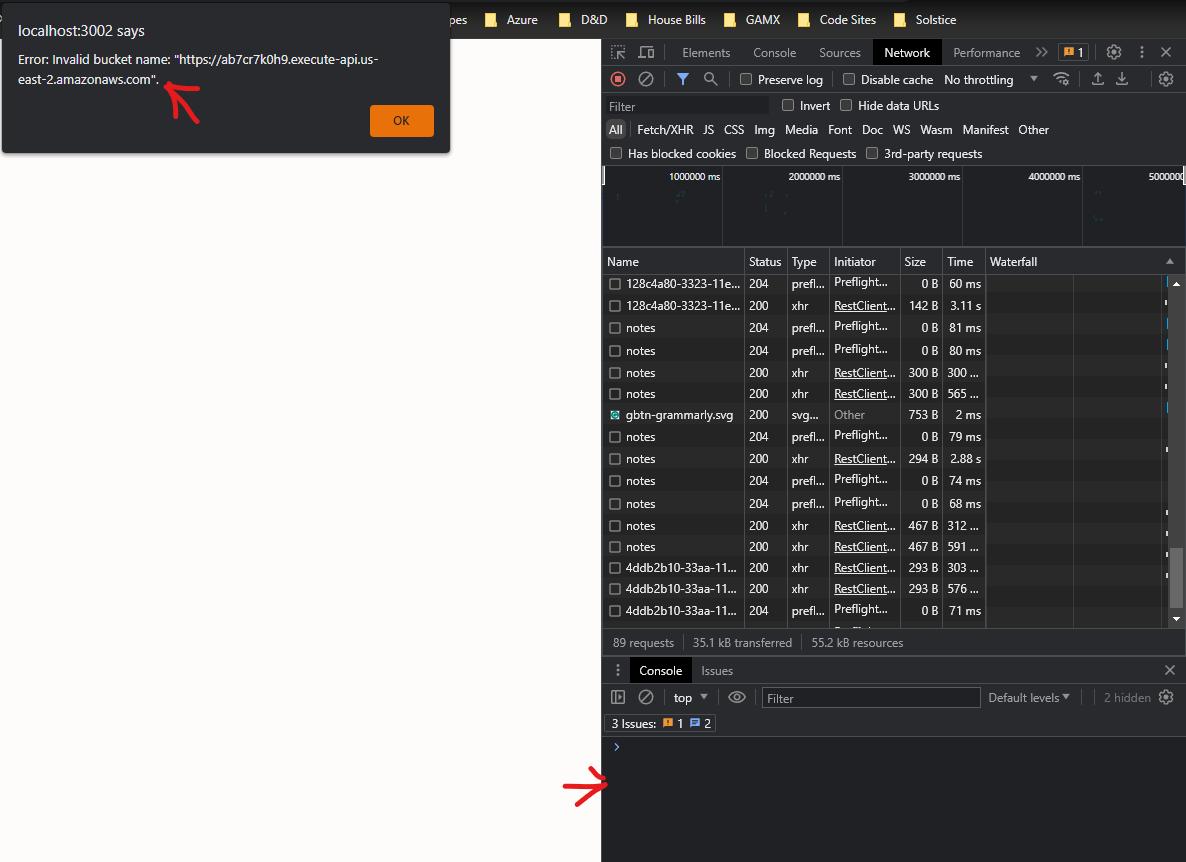
Nevermind, I figured it out! I was configuring Amplify Storage service incorrectly.
1 Like
A couple of notes from my own running around in circles:
No useful HTTP error codes will show up in the error alert message, you’ll simply get “Network Error”. Look in Chrome dev tools > Network tab as you’re saving the note.
- Forgetting to enable CORS on your S3 bucket will result in 403 Forbidden.
- You can pick a S3 bucket region that is different from your Cognito or API gateway. The upload will still work as long as your
config.jsis correct. - I didn’t know if the above was true so I tried making a new S3 bucket in a matching region, and thought that “Copy settings from an existing bucket” would copy the CORS configuration too. Surprise! It does not.
- Setting your S3 region incorrectly in
config.jsresults in a 301 Moved Permanently. Not super helpful
- Deploying your backend does result in the creation of yet another S3 bucket with a long name like “notes-app-api-prod-serverlessdeploymentbucket-ab46blaq2”. I’ve never touched this bucket and I do not reference it in my
config.jsor my IAM policy. - The tutorial’s current IAM policy here works for me as of Sept 2020.
- It wasn’t obvious to me how to edit the Cognito policy after creating it: IAM > Roles (under IAM Resources) > “Cognito_YourpoolnameAuth_Role” > dropdown arrow next to “oneClick_Cognito_YourpoolnameAuth_Role_#########” > Edit Policy
Hope this helps people sort through the myriad solutions above - or to remind myself in a month when I forget 
2 Likes
Thanks for the really detailed notes!
Has anyone run into alert error when trying to attach documents to their notes?
Error: Invalid bucket name: “https://ab7cr7k0h9.execute-api.us-east-2.amazonaws.com”. ?
There are no console errors and no errors in vscode. I checked CORS, all looks right and I looked at the SST console and I can still upload documents to the s3 bucket from there.